
Privacy Restriction Student Guide
Follow the steps below to opt out of the release of student Directory Information or visit the ctcLink Student Homepage to complete the process now.
Step-by-Step Instructions
1
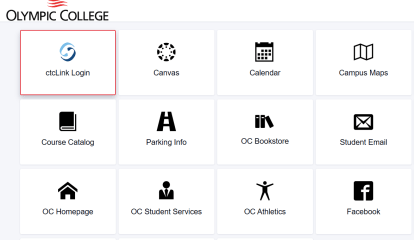
1Log Into ctcLink
Log into ctcLink and navigate to your Student Homepage.
2
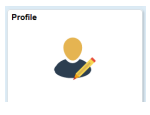
2Click on the Profile Tile
Click on the Profile Tile on the Student Homepage.
3
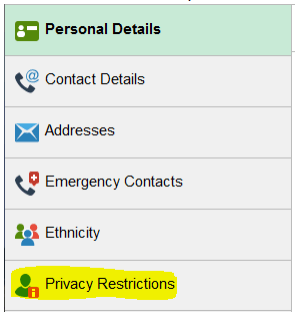
3Click Privacy Restrictions
Click Privacy Restrictions in the navigation menu.
4
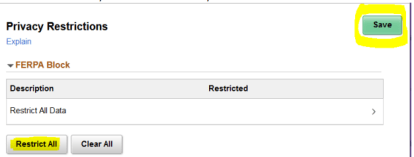
4Choose Restrict All
Choose "Restrict All" if you do not want Directory Information released.
5
5Click Save
Upon saving, a message will be displayed to Student Services employees informing them that you have placed a privacy restriction on your records.

Visit our FERPA Notification webpage for more information about privacy rights of student records.